> For the complete documentation index, see [llms.txt](https://docs.greennode.ai/llms.txt). Markdown versions of documentation pages are available by appending `.md` to page URLs; this page is available as [Markdown](https://docs.greennode.ai/vstorage/object-storage/object-storage-hcm04/bat-dau-voi-object-storage/buoc-2-khoi-tao-s3-key.md).
# Step 4: Create a S3 Key
To initialize an S3 key, follow the instructions below:
1. Log in to [https://vstorage.console.greennode.ai](https://vstorage.console.greennode.ai/storage/list) .
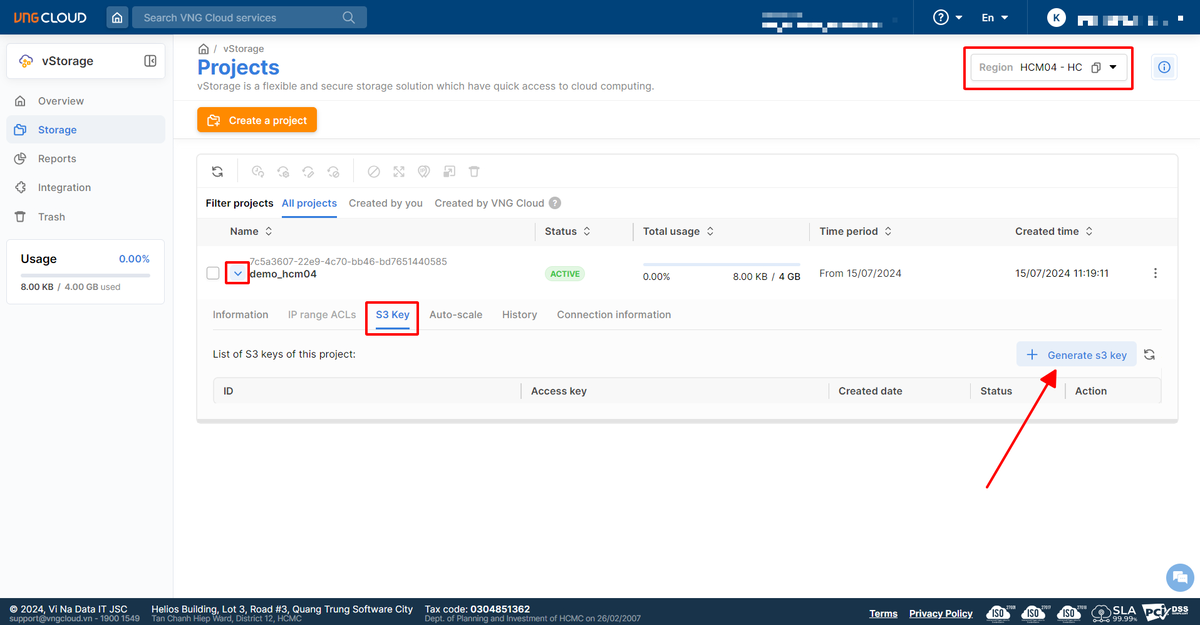
2. Select **Region HCM04.**
3. Select the icon in the project you just created and then select the S3 key item.
4. In the S3 key section, select **Generate S3 key** .
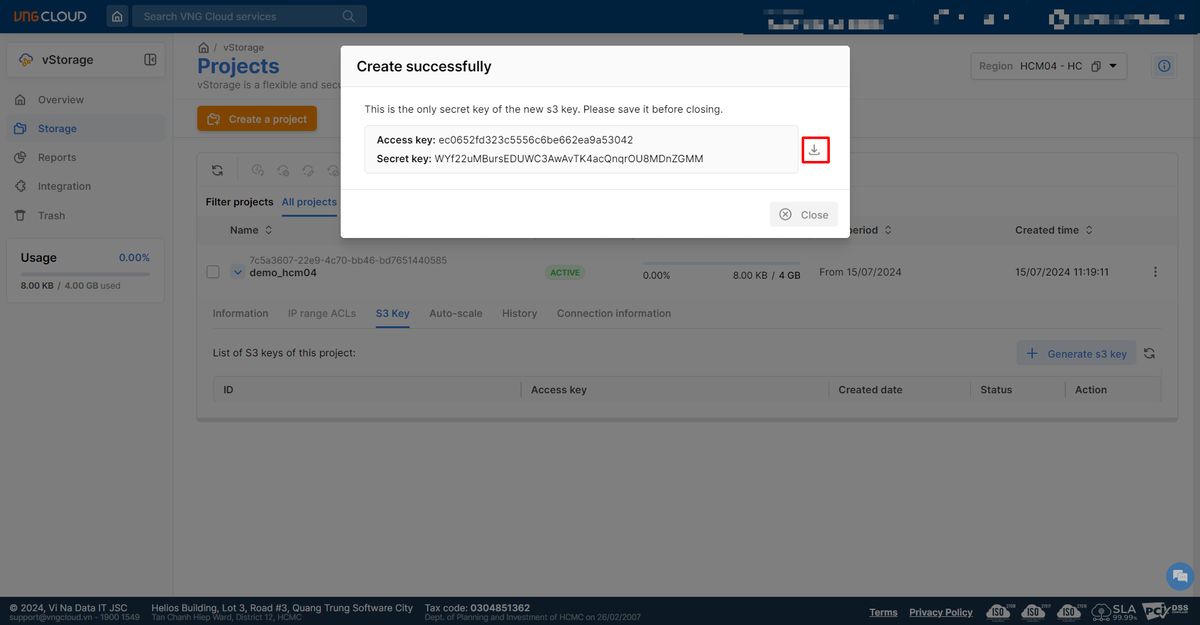
5. Select **Copy** or **Download** to download the Access Key/Secret Key information you just generated.
{% hint style="info" %}
**Attention:**
* After clicking create S3 key, you need to **save the Access Key/Secret Key pair** for use. If you do not save it now, you will not be able to get the Secret Key of this Access Key later.
{% endhint %}