> For the complete documentation index, see [llms.txt](https://docs.greennode.ai/llms.txt). Markdown versions of documentation pages are available by appending `.md` to page URLs; this page is available as [Markdown](https://docs.greennode.ai/vstorage/filestorage/cac-tinh-nang-cua-filestorage/mount-filestorage-to-the-server.md).
# Edit a File Storage
On each storage file, you can edit some parameters, specifically:
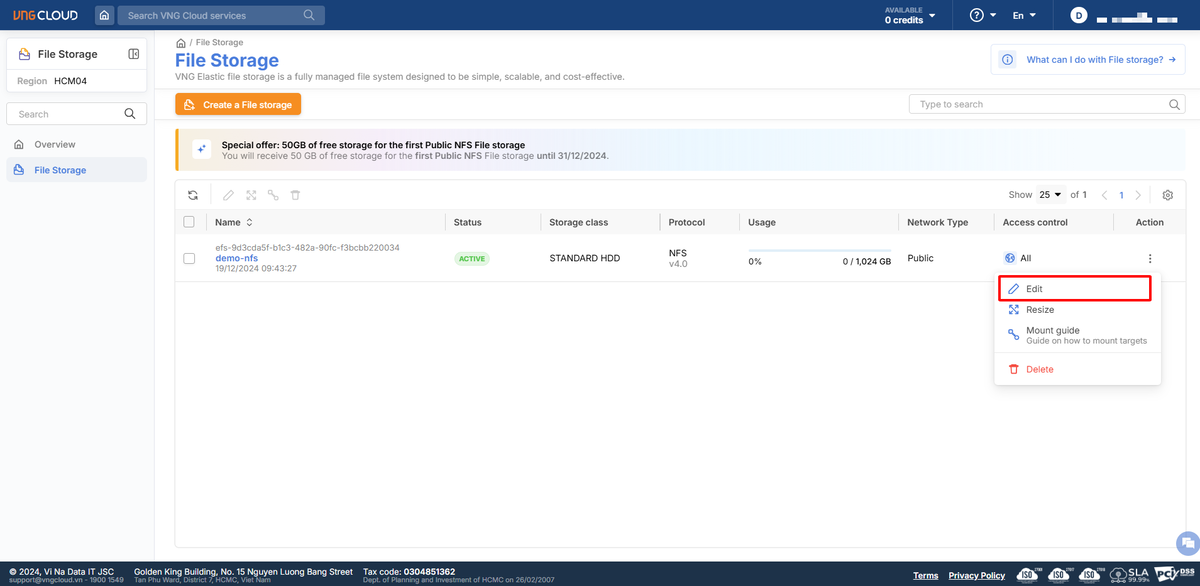
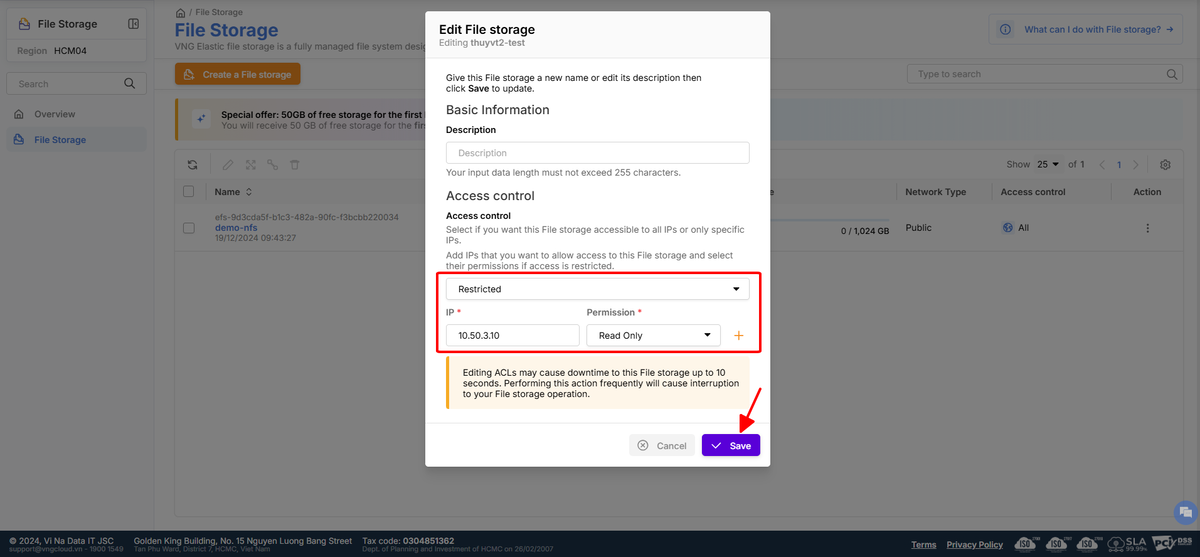
* **For NFS file storage** : Allow editing access rights (ACL) directly on the file by selecting **Edit** on the storage file you want to edit. However, editing ACL can cause disruption to this storage File for up to **10 seconds** . **Performing this action frequently will cause disruption to your storage File.**
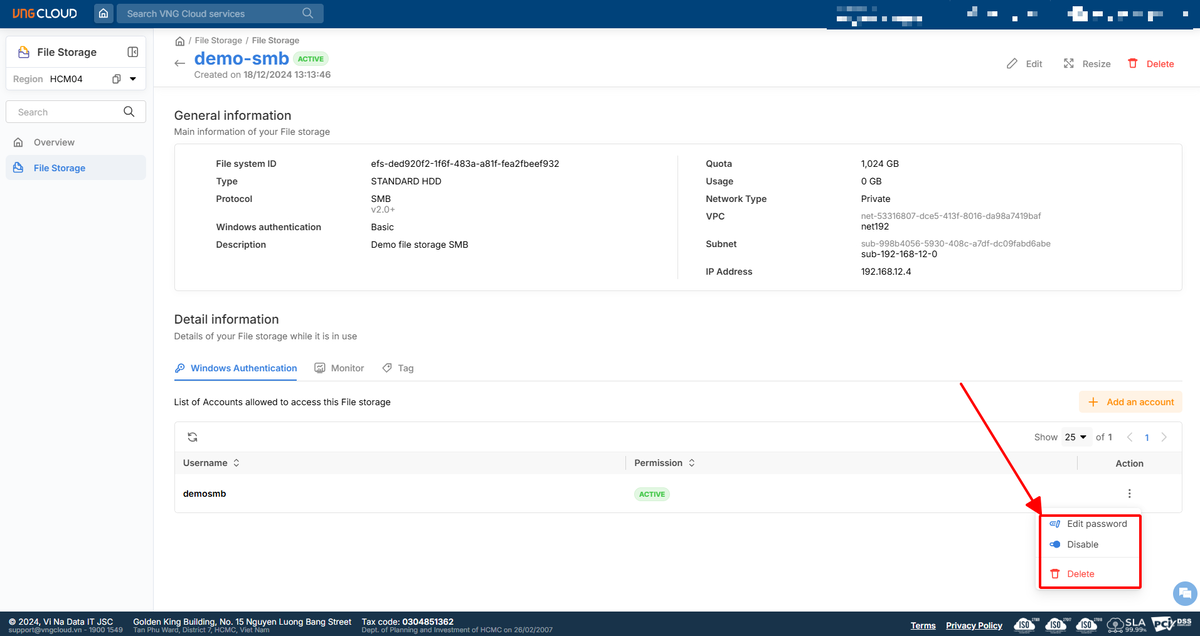
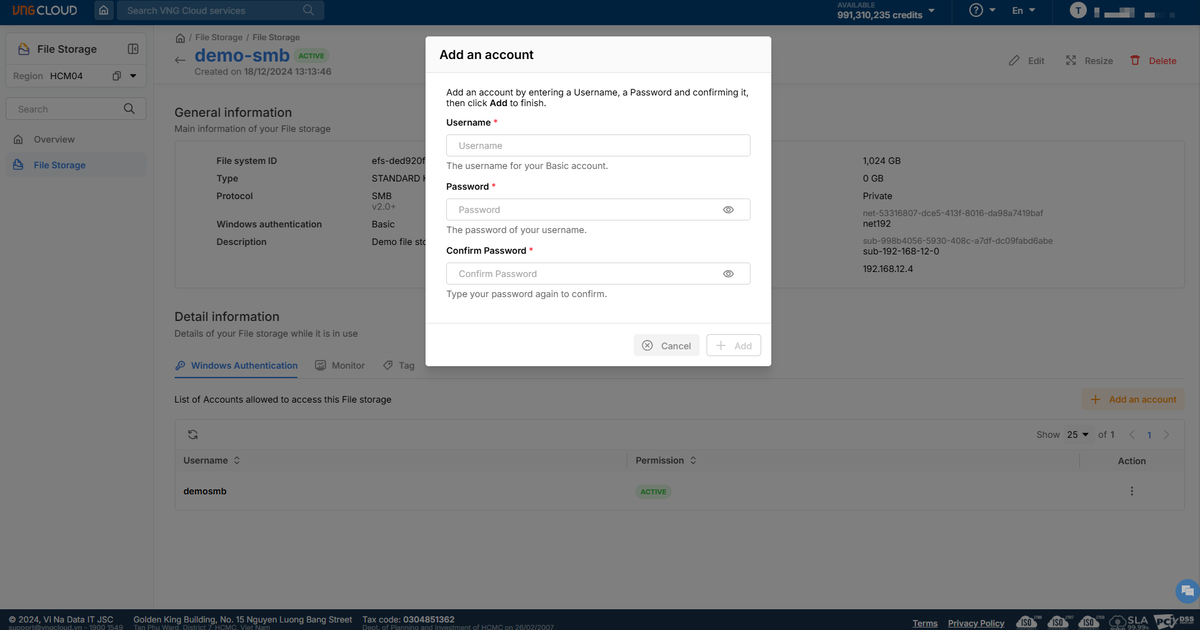
* **For SMB file storage using Basic Authentication** : Allows operations such as adding new accounts, disabling, changing passwords, or deleting created authentication accounts.
* **For SMB storage files using AD Authentication** : Do not allow changes to Active Directory information; if changes are needed, **a new storage file should be created to ensure system stability.**