> For the complete documentation index, see [llms.txt](https://docs.greennode.ai/llms.txt). Markdown versions of documentation pages are available by appending `.md` to page URLs; this page is available as [Markdown](https://docs.greennode.ai/vnetwork/cross-connect/delete-cross-connect.md).
# Delete Cross Connect
Users can still delete a Cross Connect. However, to delete it, the following steps must be performed:
**Step 1**: Remove all VPC connections in the Cross Connect.
1. Successfully log in to GreenNode, and on the Console screen, navigate to the vNetwork service;
2. In the left-hand menu of the vNetwork interface, select the **Cross Connect** section;
3. The screen will navigate to the **Cross Connect List** page;
4. On the Cross Connect list screen, select and view the details of the Cross Connect that has VPC connections you wish to delete;
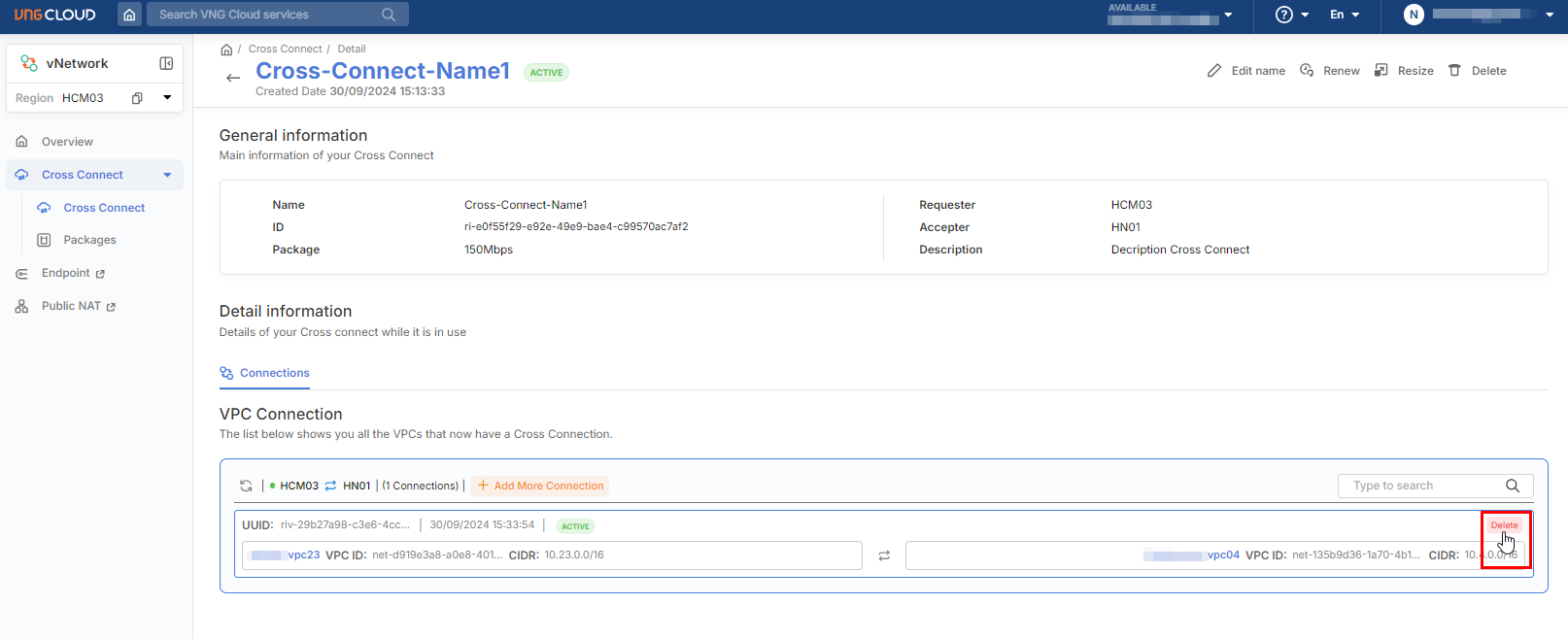
5. On the Cross Connect detail screen, in the **Connections** tab, hover over the VPC connections to display the delete icon, then click the delete icon;
6. Confirm the deletion of the VPC connection from the Cross Connect.
**Step 2**: Delete the Cross Connect.
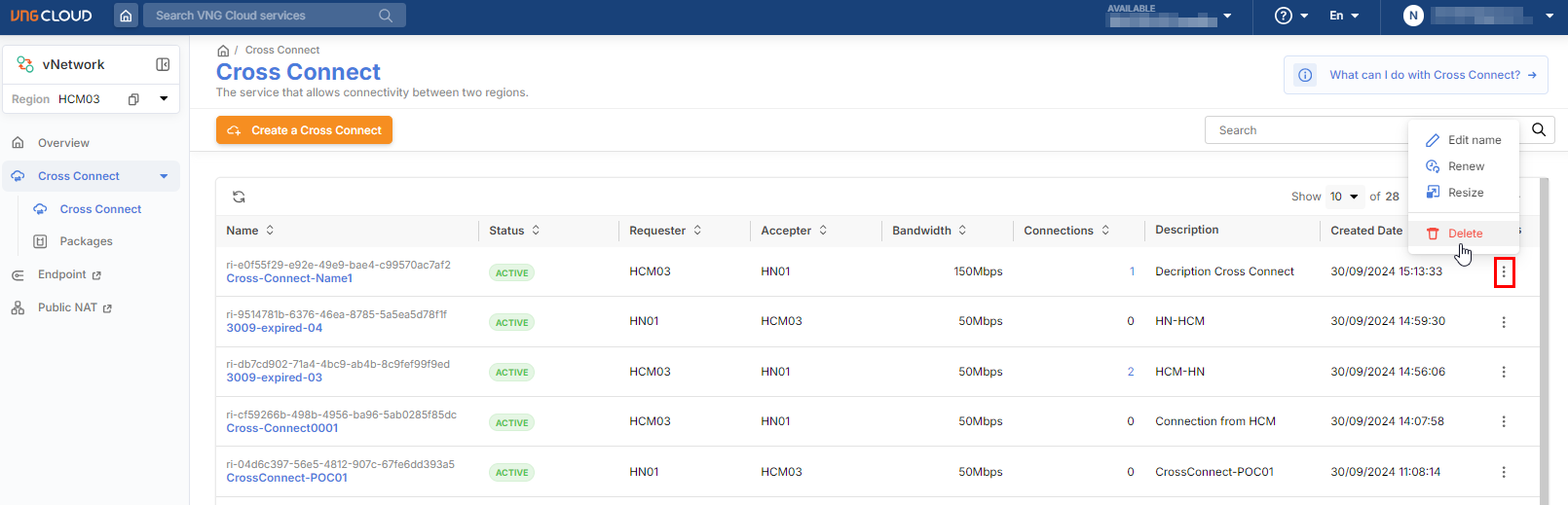
1. After removing all VPC connections from the Cross Connect, return to the Cross Connect list screen;
2. For the Cross Connect you wish to delete, click the 'Delete' action to perform the deletion;
3. Confirm the deletion of the Cross Connect. Once deleted, it cannot be recovered.