> For the complete documentation index, see [llms.txt](https://docs.greennode.ai/llms.txt). Markdown versions of documentation pages are available by appending `.md` to page URLs; this page is available as [Markdown](https://docs.greennode.ai/vn/vstorage/object-storage/object-storage-hcm04/bat-dau-voi-object-storage/buoc-2-khoi-tao-s3-key.md).
# Bước 4: Khởi tạo S3 key
Để khởi tạo S3 key, làm theo hướng dẫn bên dưới:
1. Đăng nhập vào [https://vstorage.console.greennode.ai](https://vstorage.console.greennode.ai/storage/list).
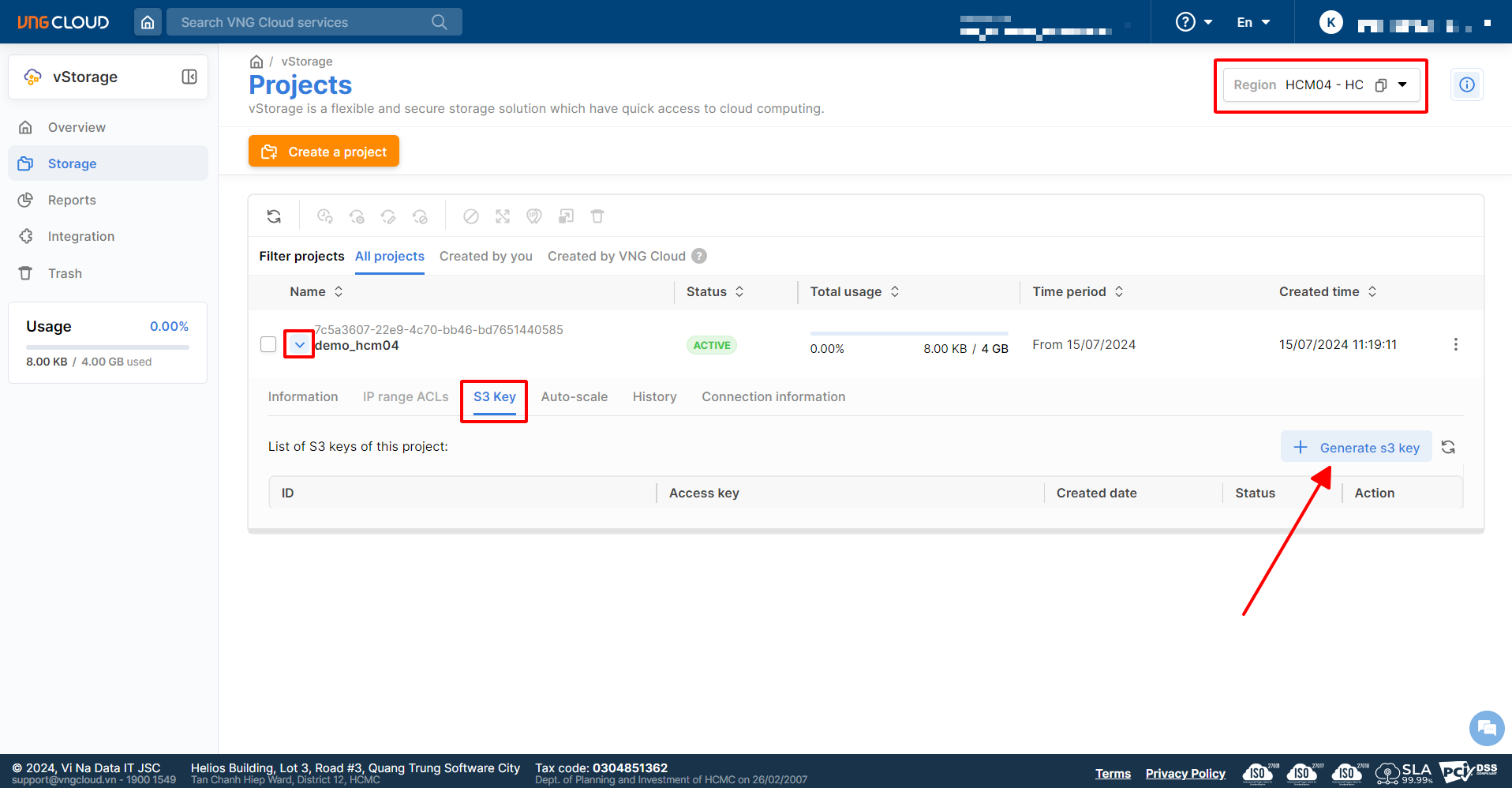
2. Chọn **Region HCM04.**
3. Chọn biểu tượng tại project mà bạn vừa khởi tạo sau đó chọn mục S3 key.
4. Tại mục S3 key, chọn **Generate S3 key**.
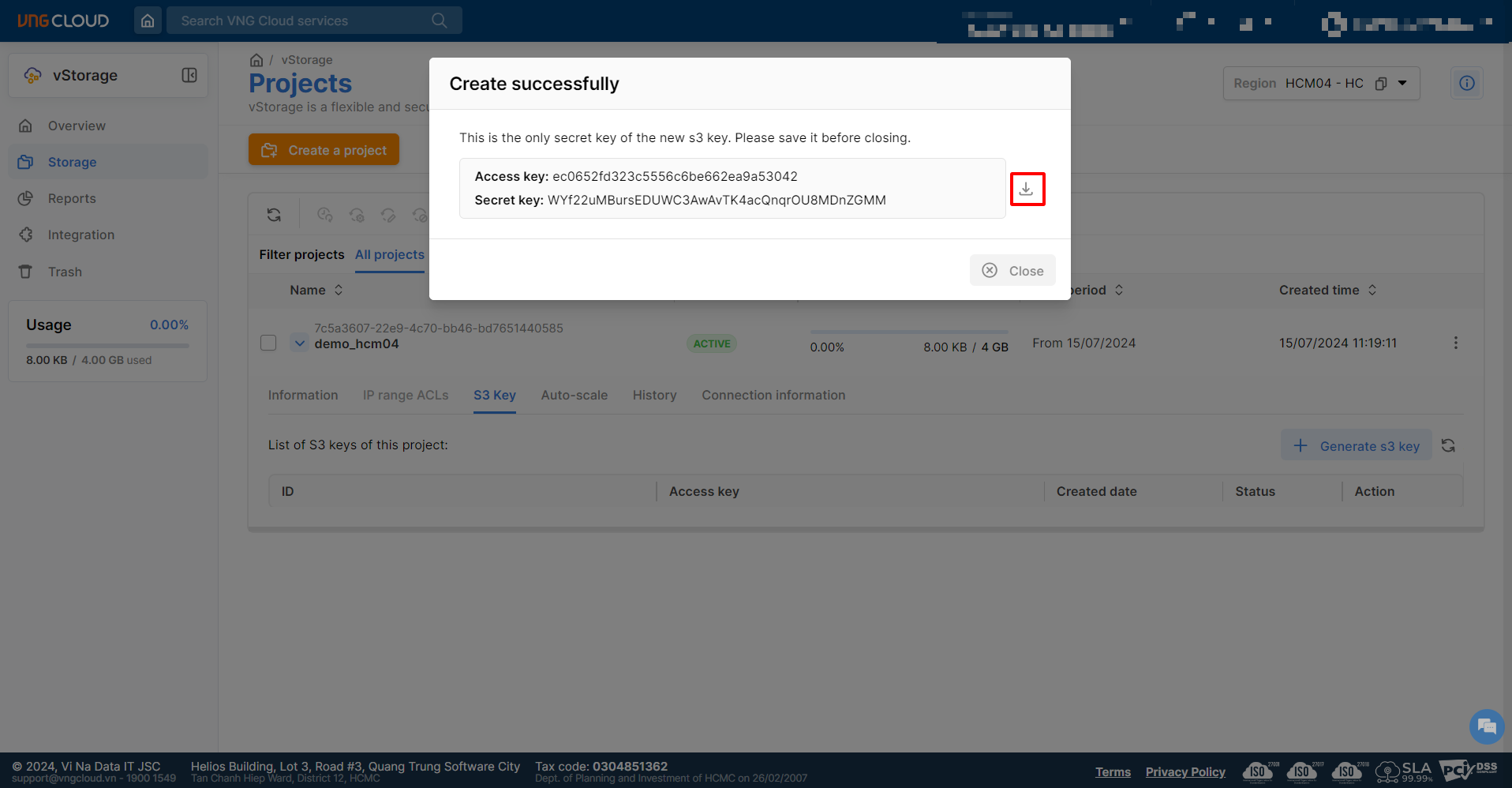
5. Chọn **Copy** hoặc **Download** để tải xuống thông tin Access Key/Secret Key mà bạn vừa khởi tạo.
{% hint style="info" %}
**Chú ý:**
* Sau khi nhấn tạo S3 key, bạn cần **lưu lại cặp Access Key/Secret Key** để sử dụng, nếu bạn không lưu trữ ngay lúc này thì sau đó không thể lấy được Secret Key của Access Key này.
{% endhint %}
 tại project mà bạn vừa khởi tạo sau đó chọn mục S3 key.
4. Tại mục S3 key, chọn **Generate S3 key**.
5. Chọn **Copy** hoặc **Download** để tải xuống thông tin Access Key/Secret Key mà bạn vừa khởi tạo.
tại project mà bạn vừa khởi tạo sau đó chọn mục S3 key.
4. Tại mục S3 key, chọn **Generate S3 key**.
5. Chọn **Copy** hoặc **Download** để tải xuống thông tin Access Key/Secret Key mà bạn vừa khởi tạo.