> For the complete documentation index, see [llms.txt](https://docs.greennode.ai/llms.txt). Markdown versions of documentation pages are available by appending `.md` to page URLs; this page is available as [Markdown](https://docs.greennode.ai/vmonitor/dashboards/synthetics/lam-viec-voi-location/private-location.md).
# Private location
Private Locations allows you to monitor applications/services located on your internal network or any private endpoints that are not accessible from the internet.
**To create a Private Location, follow the instructions below:**
1. Log in to vMonitor Platform [here.](https://vmonitor.console.greennode.ai/)
2. Select the Synthetic test folder **.**
3. Select **Location.**
4. Select **Create a location.**
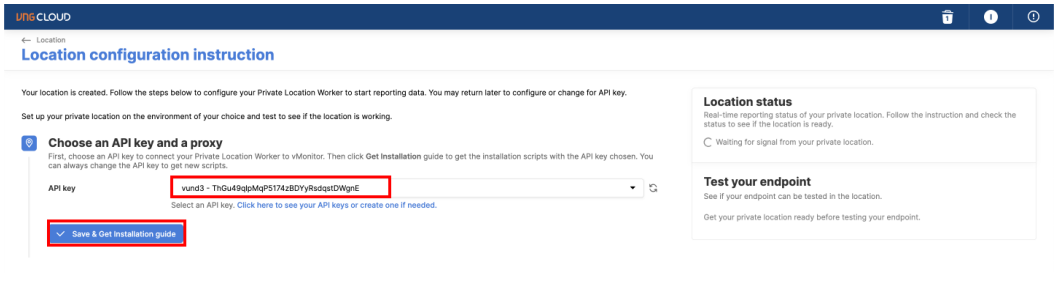
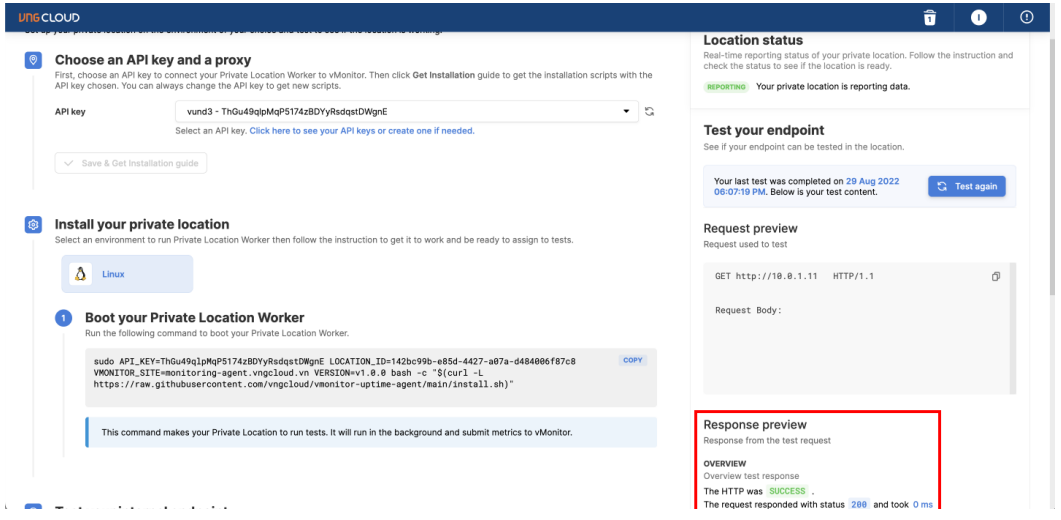
5. Next step **select API Key** to have authentication information between Private Location and GreenNode and select Save **& Get Installation Guide** so that the system will generate the necessary configurations and commands for you to install.
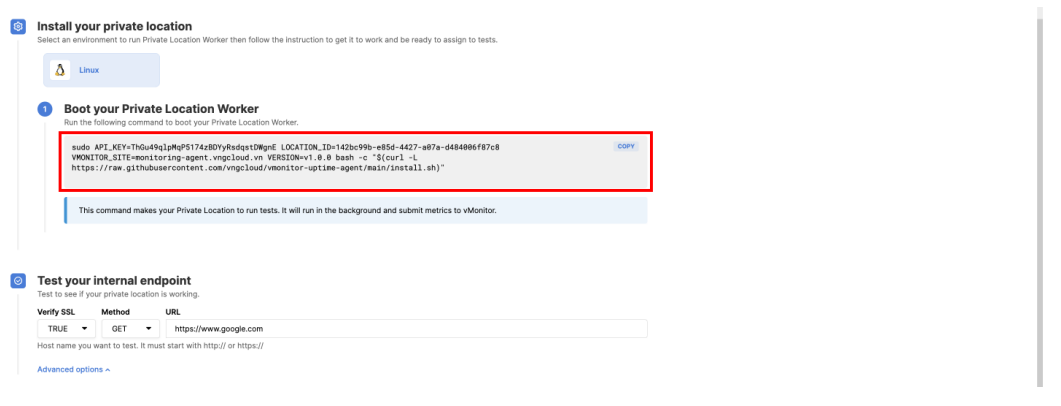
6\. The system will generate a command for you to install Synthetic Worker on Private Location, you just need to copy the command and install
7\. Install Synthetic Worker with the above command
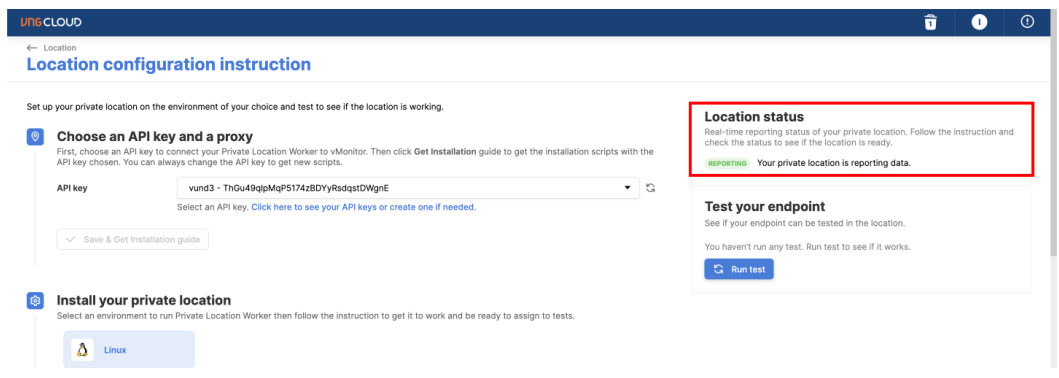
8\. After the Synthetic Worker installation process is completed, you will see vMonitor report that the connection has been successful.
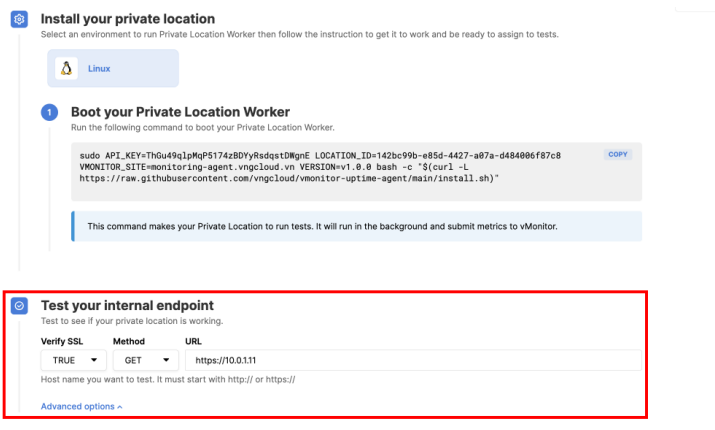
9\. You can fill in an internal endpoint to check if the system operates successfully
10\. Result Test internal endpoint was successful
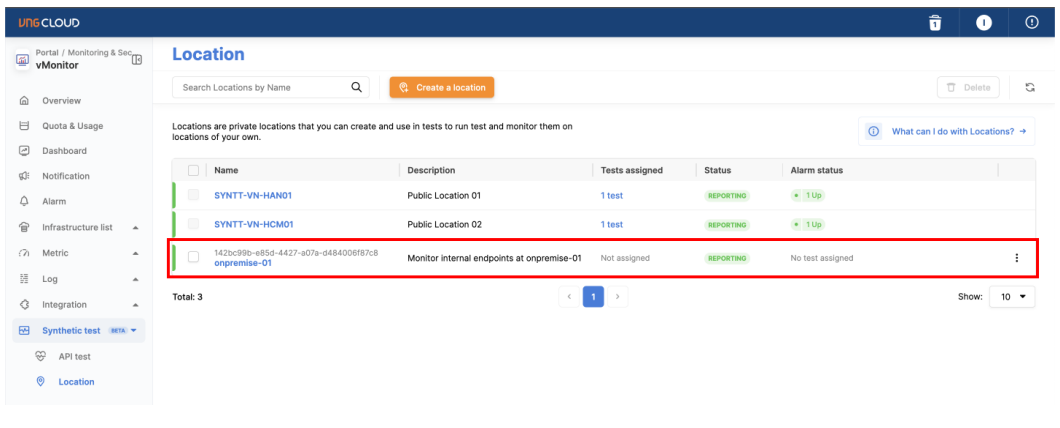
11\. Additionally, you can also view the status of Private Location on the Location page