> For the complete documentation index, see [llms.txt](https://docs.greennode.ai/llms.txt). Markdown versions of documentation pages are available by appending `.md` to page URLs; this page is available as [Markdown](https://docs.greennode.ai/vmonitor/dashboards/logs/lam-viec-voi-log-project/field-mapping.md).
# Field mapping
If Log mapping means redefining the identification of some fields in log data, then Field mapping is a feature that we provide to help you **adjust the data type of fields from the log to** the vMonitor system. Platform.
To change the data type to match the fields from the log, follow the instructions below:
1. Log in to . If you don't have an account, register for free [here](https://register.vngcloud.vn/signup) .
2. **Select the Log** folder .
3. Select **Field mapping.**
4. We will allow you to edit the data type if the field's original data type is of type **Number** or **Date** . The type of data initially recorded from the log is displayed in the **Type** column . Select .
5. If you edit on a field with data type **Number** , the system displays the **Edit field** screen . Select **the Format** appropriate to the field you are selecting:
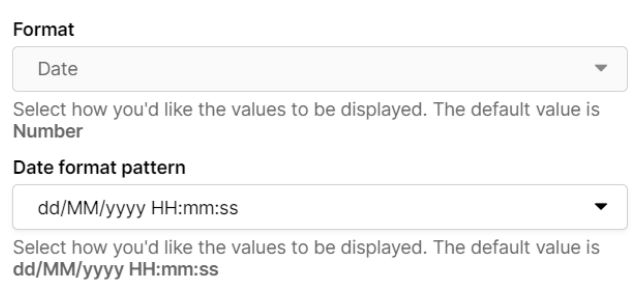
6\. If you edit on a field with data type **Date** , the system displays the **Edit field** screen . Select **the Format** and **Date format pattern** appropriate to the field you are selecting:
7\. Select **Save** .