> For the complete documentation index, see [llms.txt](https://docs.greennode.ai/llms.txt). Markdown versions of documentation pages are available by appending `.md` to page URLs; this page is available as [Markdown](https://docs.greennode.ai/vcdn/chi-tiet-tinh-nang/cdn-purge-cache.md).
# CDN Purge Cache
## Overview
**CDN Purge Cache** is used in cases where it is necessary to refresh or delete cached content on the CDN system.
Here is a detailed description of the steps to perform Purge Cache on CDN:
* **Step 1:** First, you have initialized an **Object Download** on the vCDN system. For detailed steps, please refer here [.](https://docs-vngcloud-vn.translate.goog/vng-cloud-document/vn/vcdn/loai-hinh-dich-vu/object-download) Suppose, below I have initialized an Object Download *tuongtk3-download* (vCDN Domain: *tuleemu0l7obj.vcdn. cloud* ) and linked it to S3 Origin. On S3 Origin, I have created files demo1.txt ... demo5.txt, text1.txt ... text5.txt.
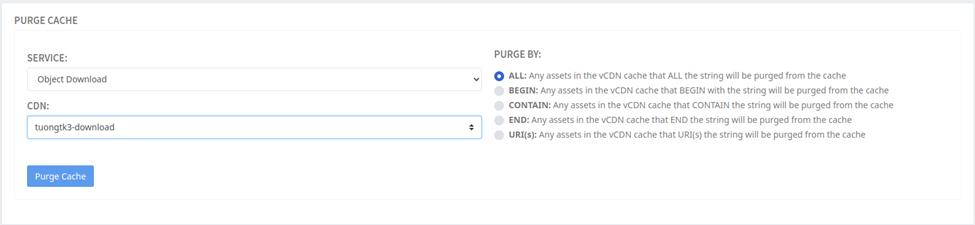
* **Step 2:** Perform the Purge Cache By (ALL, BEGIN, END, CONTAIN, URI(s) ) test. In which:
* **ALL** : Clear all cache.
* **BEGIN** : Clear cache for URLs starting with a certain string.
* **END** : Clear cache for URLs ending with a certain string.
* **CONTAINS** : Clear cache for URLs containing a specific string.
* **URI(s)** : Clear the cache for one or more specific URIs.
* **Step 3:** Call the links for CDN to cache
* With vCDN Domain: *tuleemu0l7obj.vcdn. cloud* , you can make calls to the links for CDN to cache as follows:
*
*
* ....
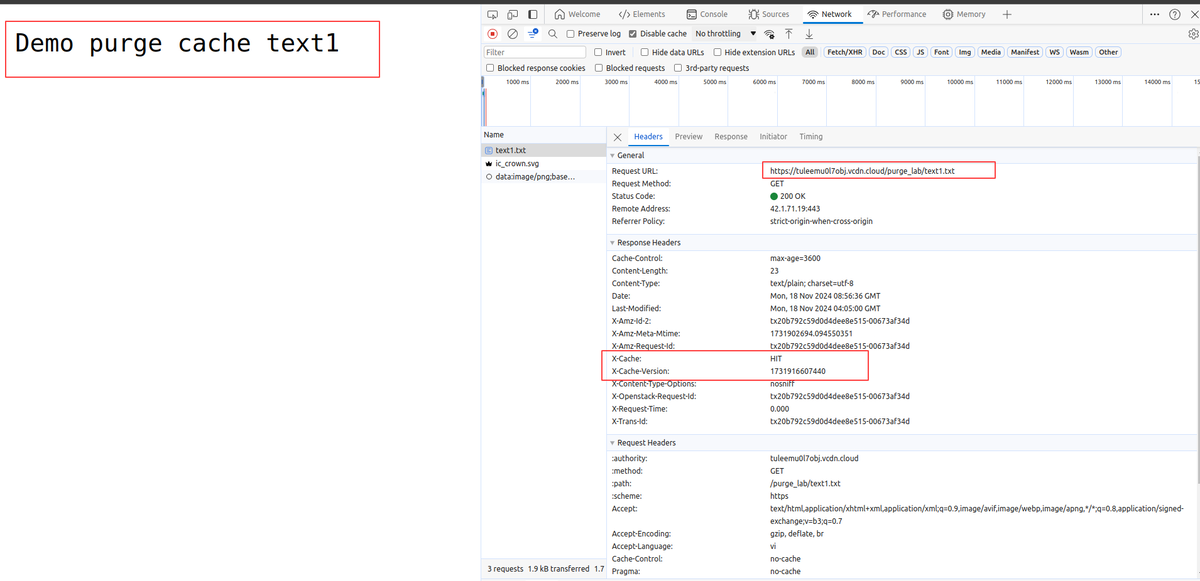
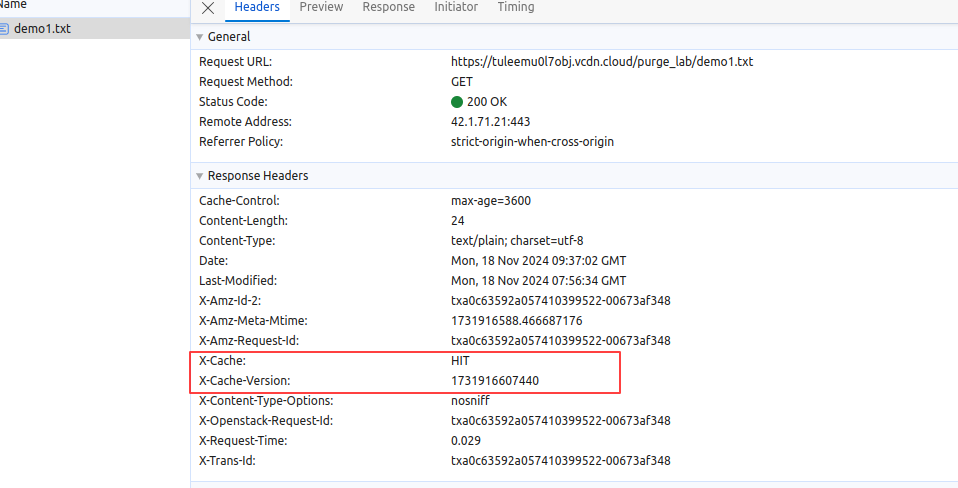
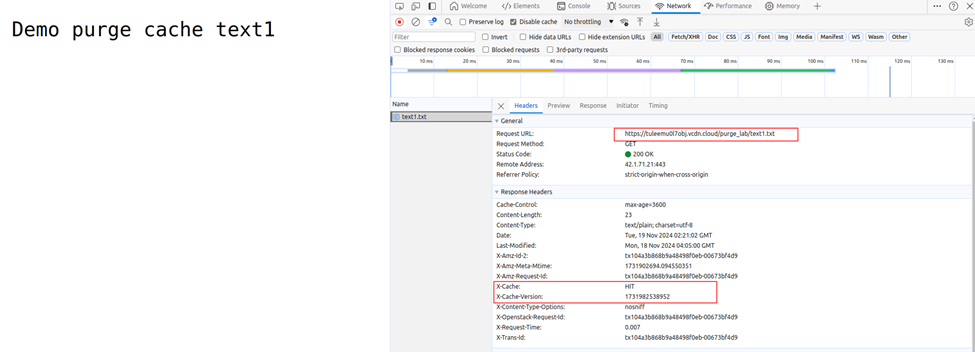
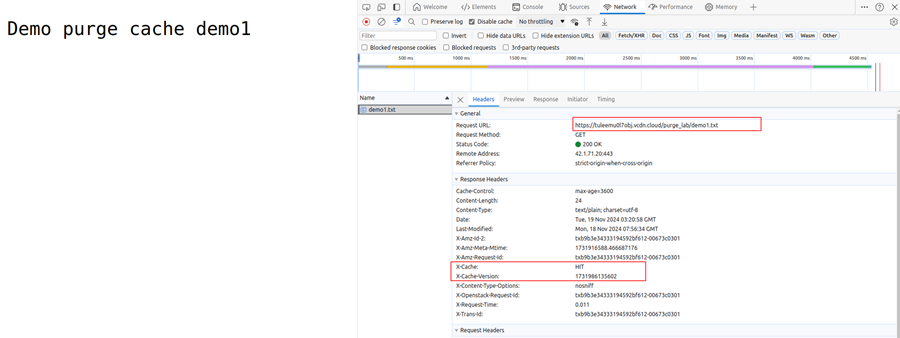
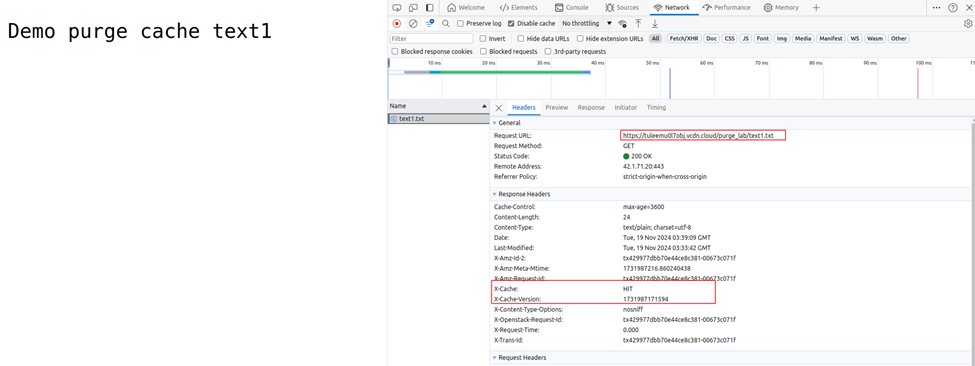
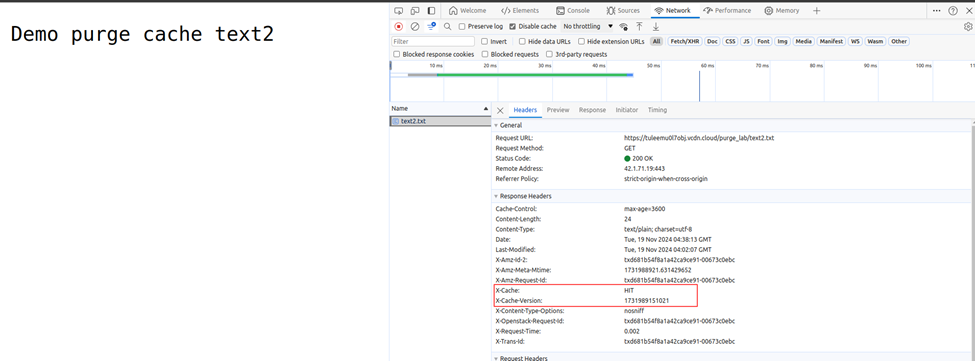
* When CDN has cached we will see the header `X-Cache: HIT` and `X-Cache-Version: $Thời_gian_timestamp_lưu_cache`in CDN
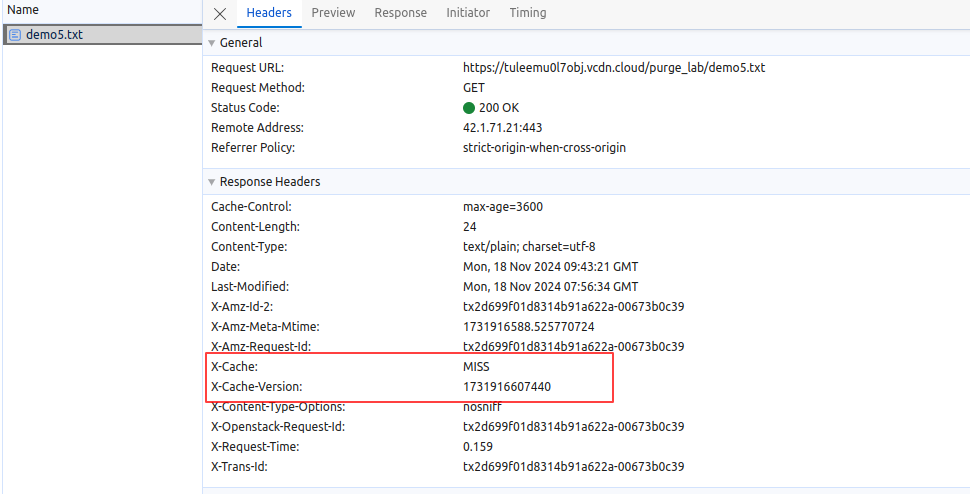
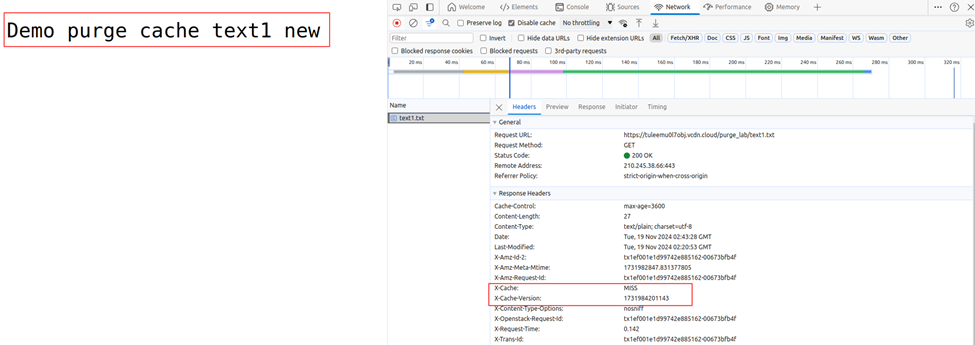
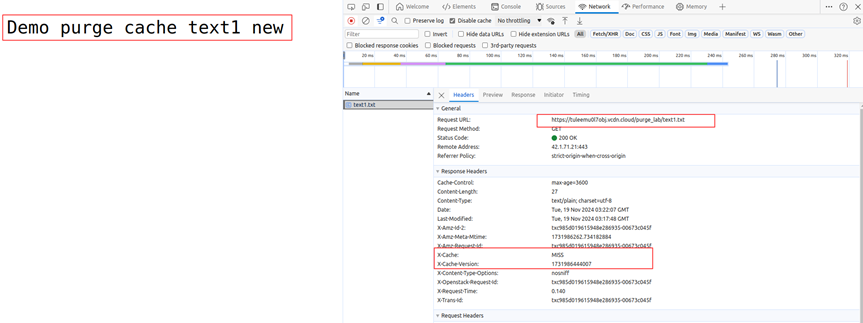
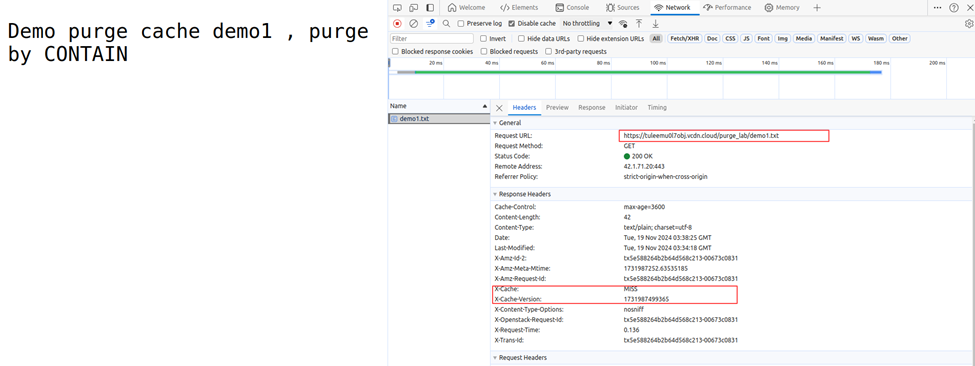
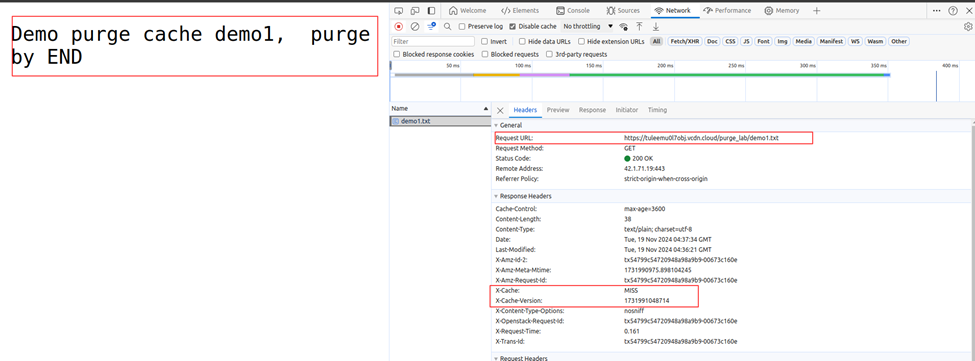
* For files that are not cached in CDN the header will be in the form `X-Cache: MISS`and `X-Cache-Version: $Thời_gian_ timestamp_lưu_cache`in CDN
For details of each type, please refer to the instructions below:
## Detail
### 1. Purge Cache By ALL.
Purge by ALL: will delete all links (all Cache of resources on CDN).
* Before Purge Cache the files were cached in CDN
* Change the contents of the files, then refresh the browser. Because the files have been cached in CDN, when changing in Origin, the files in CDN have not been changed.
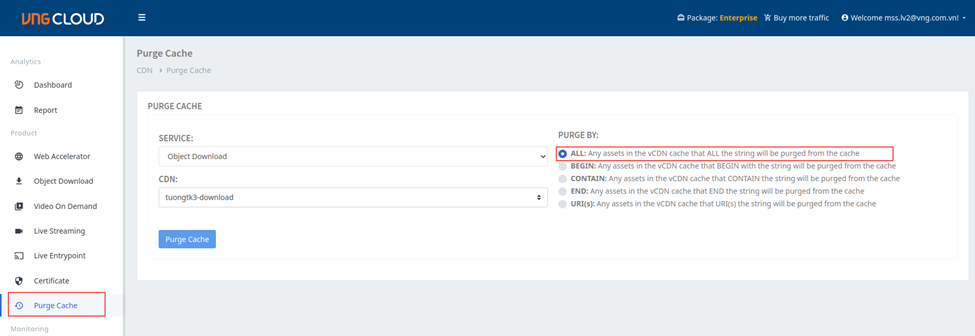
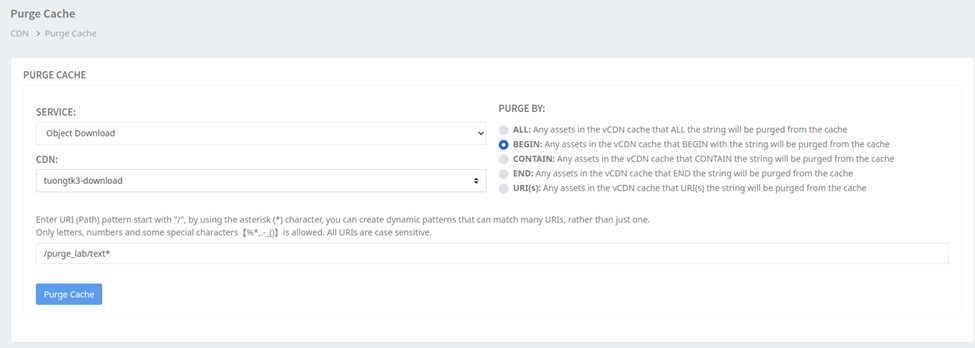
* Proceed to Purge Cache: Select the corresponding **Service** and **CDN and Purge by ALL**
* After Purge cache CDN calls back to Origin to get the latest content.
### 2. Purge Cache By BEGIN
Purge by BEGIN: Will delete all resources currently cached in CDN starting with the entered character.
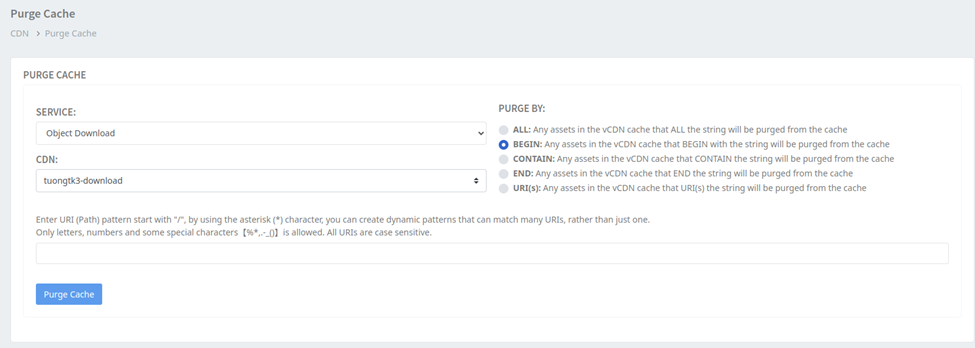
* Similar to Purge by ALL, before Purge Cache, the files have been cached in CDN. Proceed to Purge Cache: Select **Service** and corresponding **CDN and Purge by BEGIN** . At URI enter: `/purge_lab/text*`(delete cache of all text\* files in vCDN).
* After Purge the file `/purge_lab/text*`is checked and called back to Origin to get the latest content.
* Since the files `/purge_lab/demo*`are not purged, the content is still fetched from the CDN Cache.
### 3. Purge Cache By CONTAIN
Purge by CONTAIN: Will delete all resources currently cached in CDN that contain the entered string.
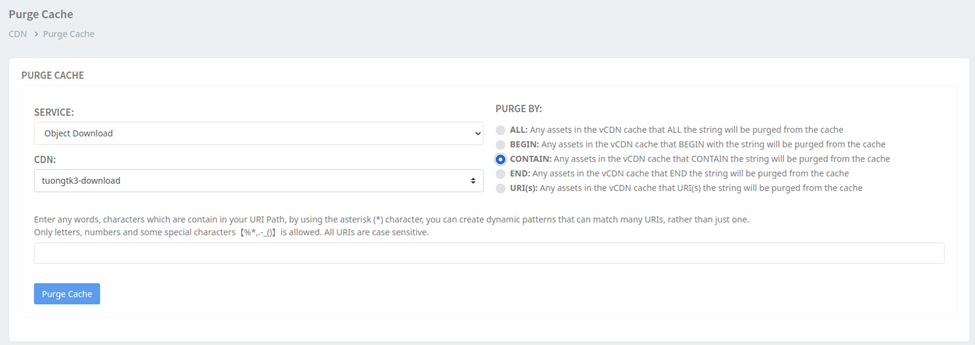
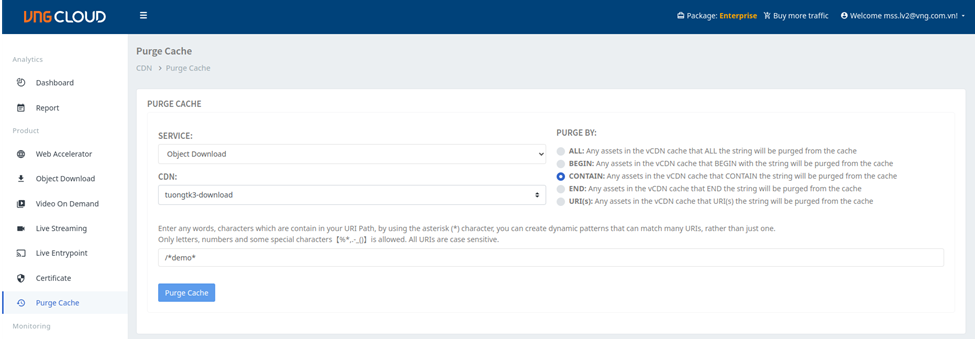
* Similar to Purge by ALL, before Purge Cache, the files have been cached in CDN. Proceed to Purge Cache: Select **Service** and corresponding **CDN and Purge by CONTAIN** . At URI enter: `/*demo*` (clear cache of all \*demo\* files currently cached in vCDN).
* After Purge Cache the files `/purge_lab/demo1.txt`... Were called back to Origin to get new content.
* Files `/purge_lab/text1.txt`... Still get content from Cache in CDN
### 4. Purge Cache By END.
Purge by END: Will delete all resources that are being cached in vCDN at the end of the input string.
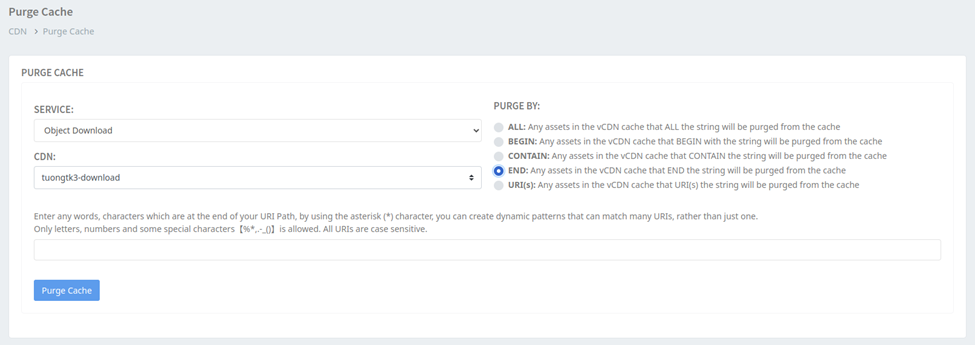
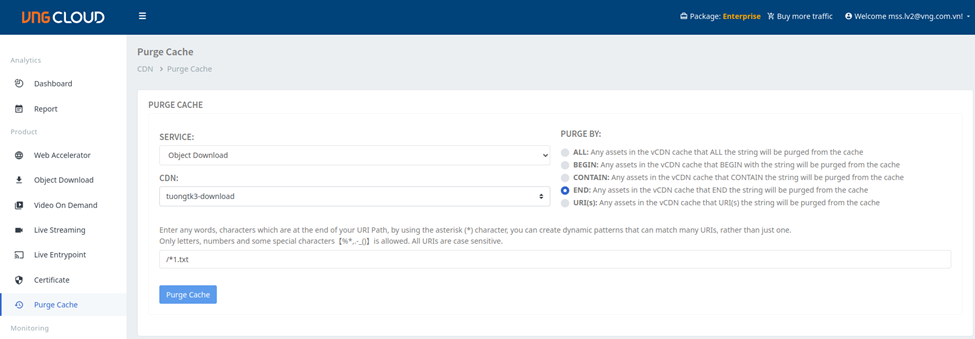
* Similar to Purge by ALL, before Purge Cache, the files have been cached in CDN. Proceed to Purge Cache: Select **Service** and corresponding **CDN and Purge by END** . At URI enter: `/*1.txt` (clear cache of all \*1.txt files currently cached in CDN).
* After Purge Cache the files `/*1.txt`... Were called back to Origin to get new content.
* Files `/purge_lab/text1.txt`... Still get content from Cache in CDN.
### 5. Purge Cache By URI(s).
Purge by URI(s): Will delete exactly the specified link.
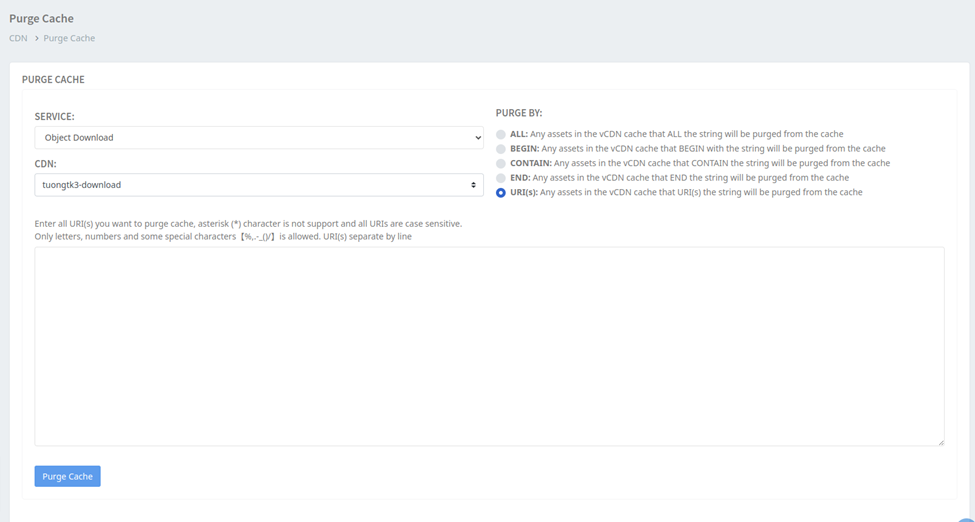
* Similar to Purge by ALL, before Purge Cache, the files have been cached in CDN. Proceed to Purge Cache: Select **Service** and corresponding **CDN and Purge by URI(s)** . At URI, enter: `/purge_lab/demo1.txt`, `/purge_lab/demo2.txt`... (clear cache of specified links that are cached in vCDN).
* After Purge Cache the files `/purge_lab/demo1.txt`... Were called back to Origin to get new content.
* Other files not specified Purge Cache ... Still fetch content from Cache in CDN.