> For the complete documentation index, see [llms.txt](https://docs.greennode.ai/llms.txt). Markdown versions of documentation pages are available by appending `.md` to page URLs; this page is available as [Markdown](https://docs.greennode.ai/getting-start-with-vng-cloud-account/register.md).
# Register
Create a account Guide
**Step 1:** At GreenNode homepage, Click "Sign up" button as shown in the following screen:
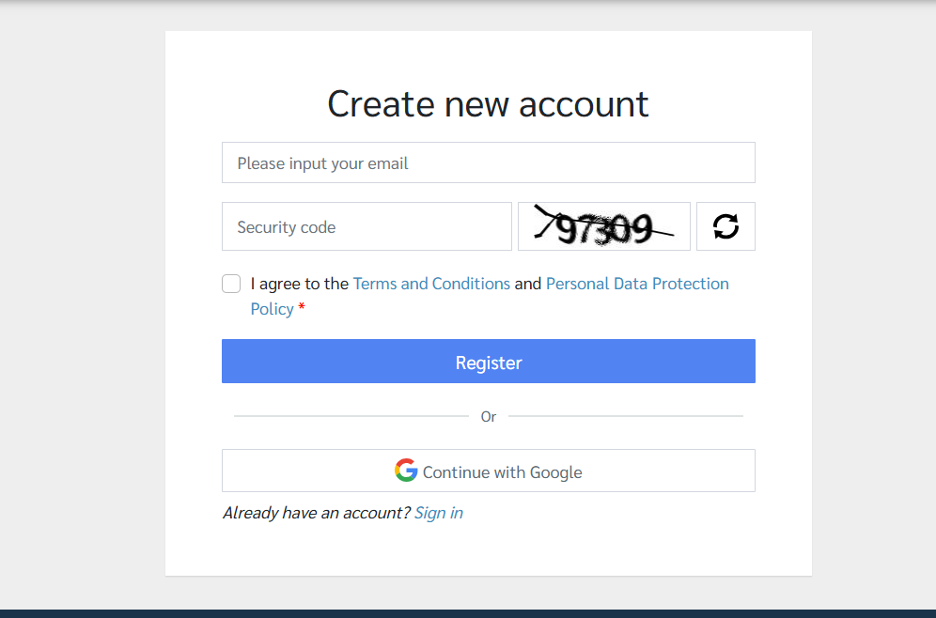
Navigate to "Create New Account" screen as shown in the following image:
**Step 2:** At "Create new account" screen:
1. Fill in all required information including **Email** and **Security Code**. Then, select the checkbox to **I agree to the Terms and Conditions and Personal Data Protection**.
2. Click the **Register** button to complete the registration information. An email will be sent to the email account you used to register.
**Step 3:** Check your mail inbox
1. You will find an email with the subject **GreenNode – Account Verification**. If you do not find any such email, please check your **Spam** folder.
2. Open the email and follow the instructions.
**Step 4:** In the instruction email, click on **this link** to proceed to the next step.
**Step 5:** After clicking the link in the email from **step 4**, the final registration form will open. Fill in all the required information on the registration form.

* Fields marked with an \* are mandatory for users to fill out. Other information is optional.
* When entering a password, users must follow the system's guidelines.
* If the user enters a phone number and the country code is Vietnam (+84), the OTP will be sent to the phone via SMS.
* If the user enters a phone number and the country code is not Vietnam, the OTP will be sent to the registered email.
* If the user does not enter a phone number, the OTP will be sent to the registered email.
Once the data entry is valid, the user receives a notification & an email confirming successful registration.
Customer email and phone number information is encrypted by GreenNode using the Symmetric AES algorithm to ensure customer data security.
%20(3).png?alt=media)